 AI Briefing
swarm-forge: tmux-based AI agent swarms collaborate via role-based worktree separation
unclebob/swarm-forge
About the project
When multiple AI agents work on the same project simultaneously, file conflicts and role confusion are prone to occur. SwarmForge provides an inter-agent communication structure based on tmux sessions and git worktrees, allowing each agent to work in an independent environment while coordinating the entire project. It is not just a simple automation tool, but an orchestration platform designed for agents to collaborate systematically like professional software engineers.
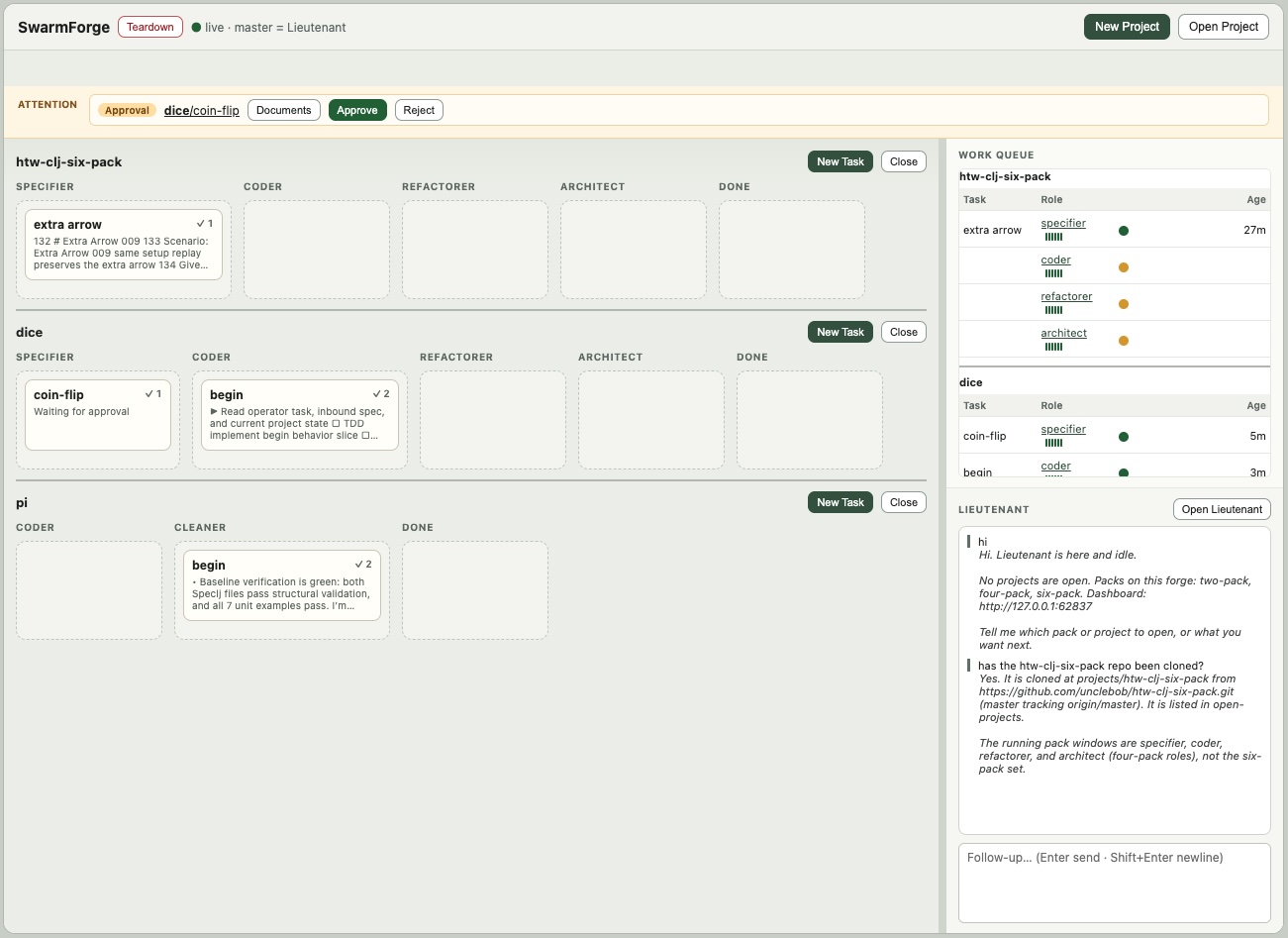
It supports two or more workflows depending on the scale of the work. The two-pack, consisting of two agents, is specialized for rapid backend implementation and cleanup, while the four-pack, composed of four agents, includes everything from Gherkin specification writing to refactoring and architecture review. The most complex six-pack separates specification, coding, cleaning, architecture, hardening, and QA into different agents to strengthen quality management for large-scale projects.
Users monitor work status in real time through Pack Cockpit, a local web dashboard. They view card movements on role-based swimlane boards, chat with the master agent, and handle human intervention points such as specification approvals or requests for additional explanations. Agents run in the tmux background rather than in terminal windows, with the dashboard serving as the sole control interface.
It supports various AI backends such as Codex, Claude, Copilot, and Grok, and runs in a local environment with zsh, git, tmux, and Babashka installed. It is suitable for developers who want to reduce context limitations and role confusion associated with single-agent usage, and to divide complex software development processes into clear stages and responsibilities.
unclebob/swarm-forge
A simple tool for coordinating several AI agents.
Clojure
This introduction was generated automatically by AI. Check the original for the author's claims and context. Copyright belongs to the original author.
Our guide explains how the AI works. Report errors, attribution issues, or removal requests via Contact.